Football Pool Box Sheet Auto-Updater Configuration
What is the Football Pool Box Sheet Auto-Updater?
The Auto-Updater is a mostly useless tool that will tell you who is currently winning your Football pool, by highlighting the boxes of the current quarter's winner, as well as the boxes that won any previous quarters.
How does it work?
Since most box sheets are basically just a grid, the Auto-Updater can figure out approximately where each box is. You tell it which digit corresponds to each row and column. The Auto-Updater loads the score from a feed found on MyWay Sports. It determines the score, and then highlights the appropriate boxes.
Hey! This thing doesn't work!
The Auto-Updater is more fragile than a ten-foot stack of vases. It makes a lot of assumptions. The biggest of which is that you're using Microsoft Internet Explorer 6.0 as your browser. The Auto-Updater was written and tested (ha! It wasn't tested.) using IE 6.0, so I have no idea what it will do in other broswers. Most likely nothing.
You have IE 6.0, and it still doesn't work? Well, what can I say. I'm not very good at this, and I did it quickly. I'm sorry. Odds are, if the game is on and it's still broken, I'm probably trying to fix it as you read this.
How do I set up the Auto-Updater for my Football pool?
While setting the page up is a bit tricky, you should only have to do it once. Here's what to do:
- Make a grid like you normally would, and fill it in. You can do it with a computer, or pen-and-paper. Try to make the boxes all the same size, and as rectangular as possible. Currently, the home team has to be the vertical axis, and the away team is the horizontal axis. I'm working on making this configurable, though.
- Get a digital version of the box sheet. Once all the boxes are filled, and the numbers assigned to the rows and columns, get it on the computer (if it's not already). I'd recommend scanning it, but if you don't have a scanner, you can just take a picture of it with a digital camera. Try to get the lines of the grid to be parallel with the edges of the picture, so it's not crooked.
- Get the digital box sheet online somehow. You can email it to me, but I'm not making and promises to get it up in time for the game. Your best bet is to put it on your website if you have one, or use a free image hoster, like VillagePhotos or Photo Bucket. You can even use Ofoto or Snapfish, most likely. Any size should work, but I'd recommend between 500 and 800 pixels wide, so it's not too small to read, or too wide to fit on the page
- Get the URL for the image, (e.g. "http://www.kevincooney.com/projects/superbowl/CIMG0294.jpg"), and head to the configuration page
- Configure the box sheet as described below
Configuring the box sheet: Step 1
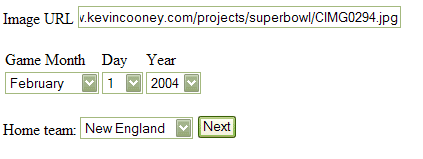
- On the configuration page, enter the URL of your image into the "Image URL" field.
- Enter the date of the game the pool is for (it works for more than just the Superbowl, and not just this year's superbowl).
- Select the Home team. If you don't know which is the home team, it's the one listed second in most Box Score pages.
- Click Next
Sample:
Configuring the box sheet: Step 2
Enter the digits
- On this page, enter the digits the correspond to each row and column. This should be pretty easy, since your box sheet image should display on this page as well. (If it doesn't display, check your image URL and go back to Step 1).
- Click Next
Sample:

Configuring the box sheet: Step 2
This the last step. We just need to find out where the grid is in your image. Odd are, there's some border space around your grid, particularly if you took a picture of your paper box sheet.
- Drag the blue corners to the upper-left and lower-right corners of your grid image.
- Make sure the upper-left corner is above and to the left of the "digits" for each row and column, because the Auto-Updater assumes they'll be included.
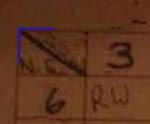
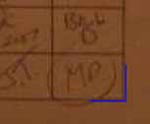
- If the corners don't show up, or dragging them isn't working, use the input boxes to set the corner locations.
- Click Next. You're done! You'll be taken to the page for your pool. Copy the URL for this page, and email it to everyone else in the pool